
Terminology
Complete guide to OV25's product management terminology and concepts
Manufacturer
A Manufacturer is a company that produces products/ranges, and supplies them to retailers.
A manufacturer's products/ranges will come with some information setup by default:
- Range or product name
- Dimensions
- 3D model
- Options, Groups and Variants
A manufacturer can have multiple ranges, and a range can have multiple products.
A manufacturer can supply the same product/range to multiple retailers.
A retailer will have access to products from one or more Manufacturers.
A manufacturer can also sell their own products/ranges directly.
Retailer
A retailer is a company that sells products to customers.
A retailer can have access to products from one or more Manufacturers.
A retailer has to complete the setup of the product/range:
- Optionally rename Ranges and Products
- Add images (Hero, Cutout, Gallery)
- Edit variants (e.g. choose which Fabrics are available for a product)
- Setup SKUs and pricing
- Setup filters, swatches and sales.
Product
A Product is a specific item in your catalog (e.g., "Cleo 3 Seater Sofa").
- Unique product name and identifier
- product specific description, images, and other metadata
- Unique 3D model
- can have product specific pricing, or pricing can cascade from range pricing, manufacturer pricing, or global pricing.
- can be displayed and customised on your website via the 3D configurator.
Range
A Range is a collection of related products from a single manufacturer (e.g., "Cleo Range").
- A range has only a name, a set of products that it contains, and optionally a snap2 configurator.
- Groups related products together
- The 3D configurator can be configured to display a whole range.
- Ranges can be used to create a Snap2 Configurator.
SKU (Stock Keeping Unit)
A SKU is a unique string used to identify a range, product or selection.
- Unique SKU code for inventory tracking
- A fully configured product will have a composite SKU, for example
CLEO/3-SEATER-SOFA/BLACK-LEATHER/OAKcould indicate a 3 Seater Sofa from the Cleo range, with a black leather fabric and oak legs. - Necessary for accurate order fulfilment.
- Used for analytics and reporting
Option
An Option is a customisable part of a product, e.g. "Fabrics", "Trims", "Legs".
- An Option can have multiple Groups, or none at all.
- Options are unique to each product, but in practice are often identical or very similar across products.
Group
A Group is a collection of variants that are related to each other. Each group has a parent Option.
- In a option called "Fabrics", there could be a group called "Velvets", which contains selections called "Blue Velvet", "Green Velvet" etc.
Variant/Selection
A Variant (or Selection) is part of a product that can be customised by the user. Variants have a parent Option and optionally a parent Group.
3D Configurator
A 3D Configurator is an interactive 3D tool that allows customers to customize and visualize products on your website. This can be with or without variant controls.
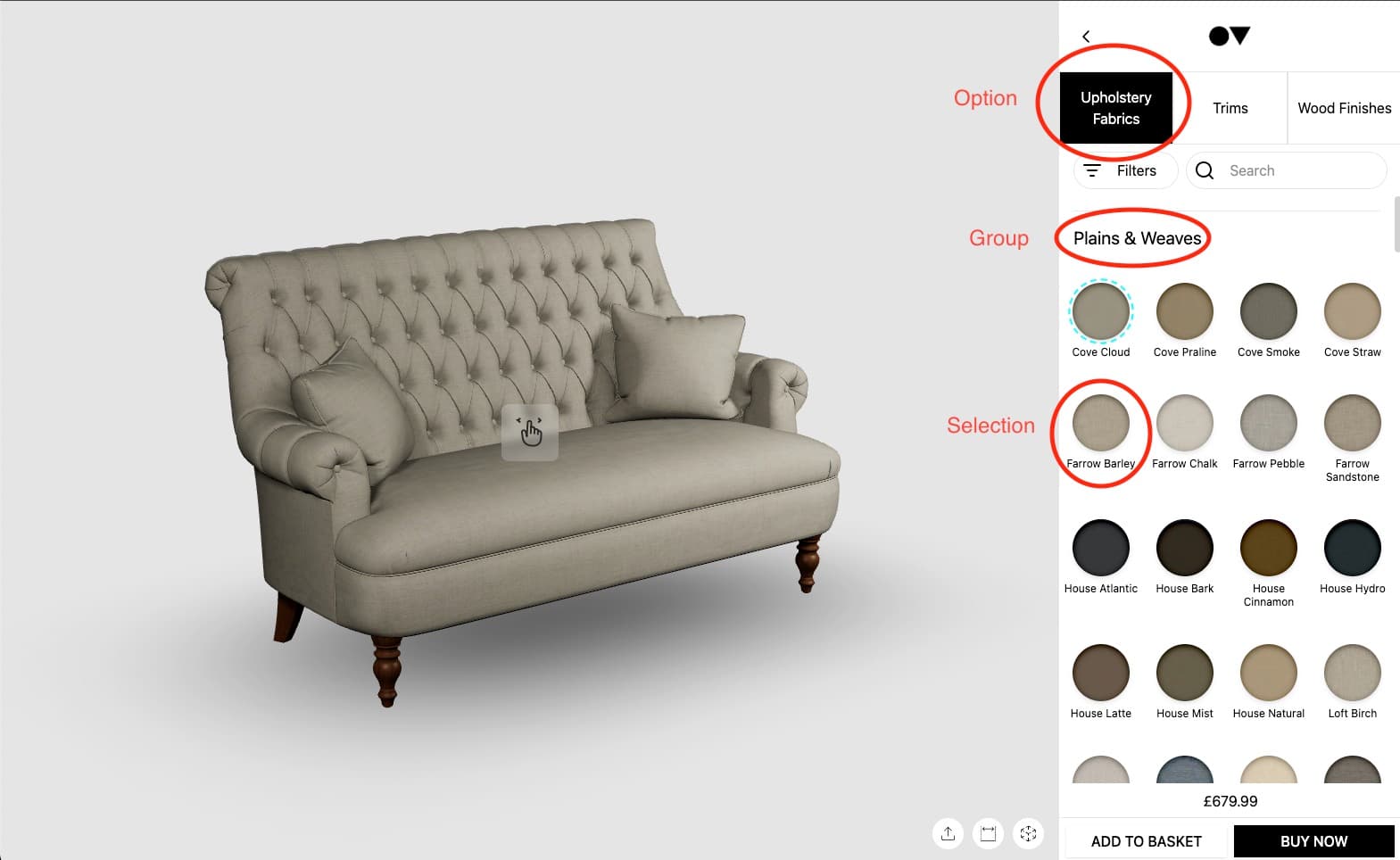
- Displays 3D models of your products
- Allows customers to change colors, materials, and options
- Shows real-time pricing updates
- Integrates directly into your website
- Provides immersive shopping experience
- For more information, see the developer documentation for your specific platform.
Snap2 Configurator
A Snap2 Configurator is a special type of configurator that can display a range of products in a single 3D scene, with controls to attach and arrange products together.
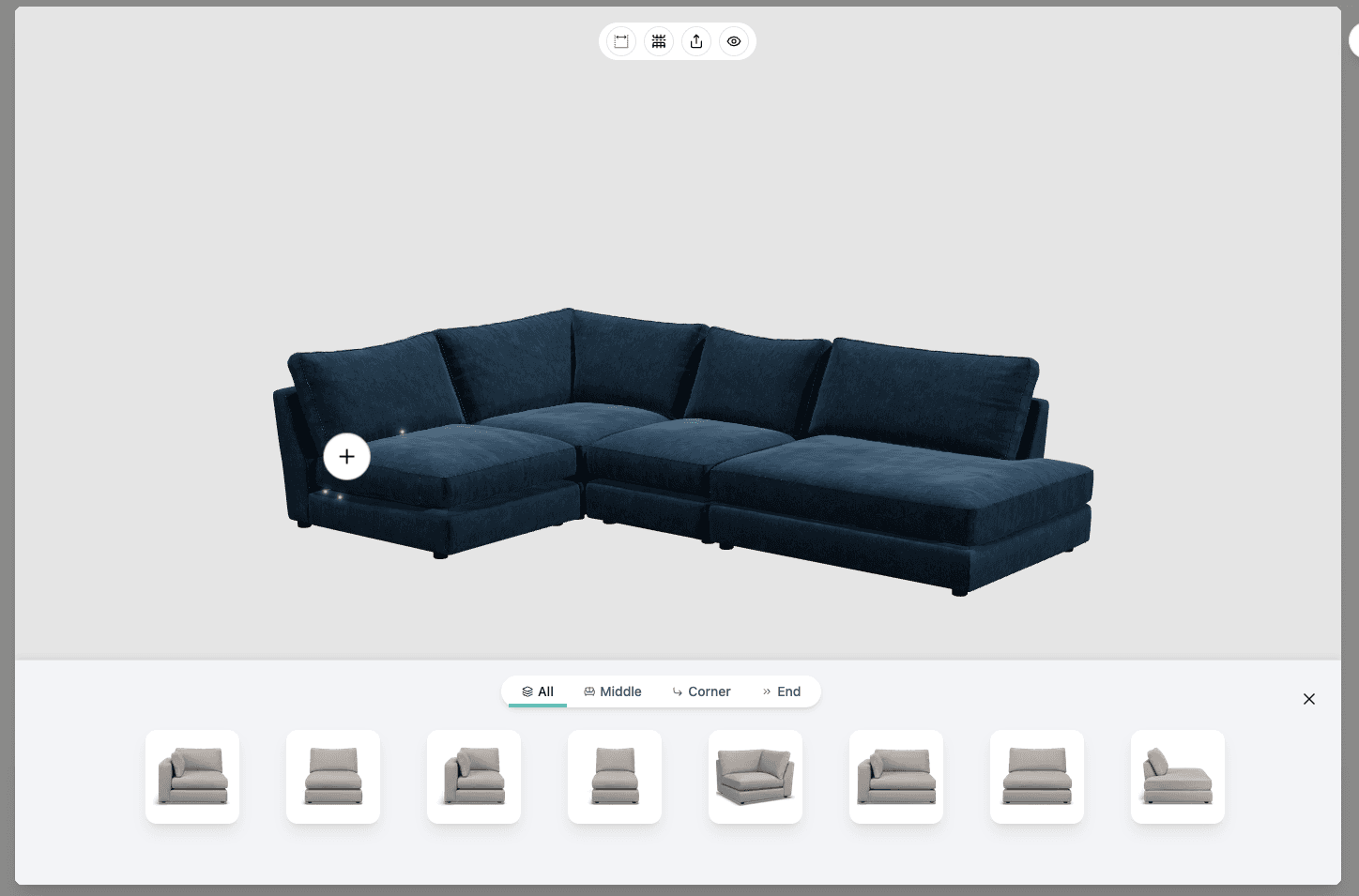
- Shows multiple products from the same range
- Allow arranging and attaching products to each other
- Unified pricing display
Cutout
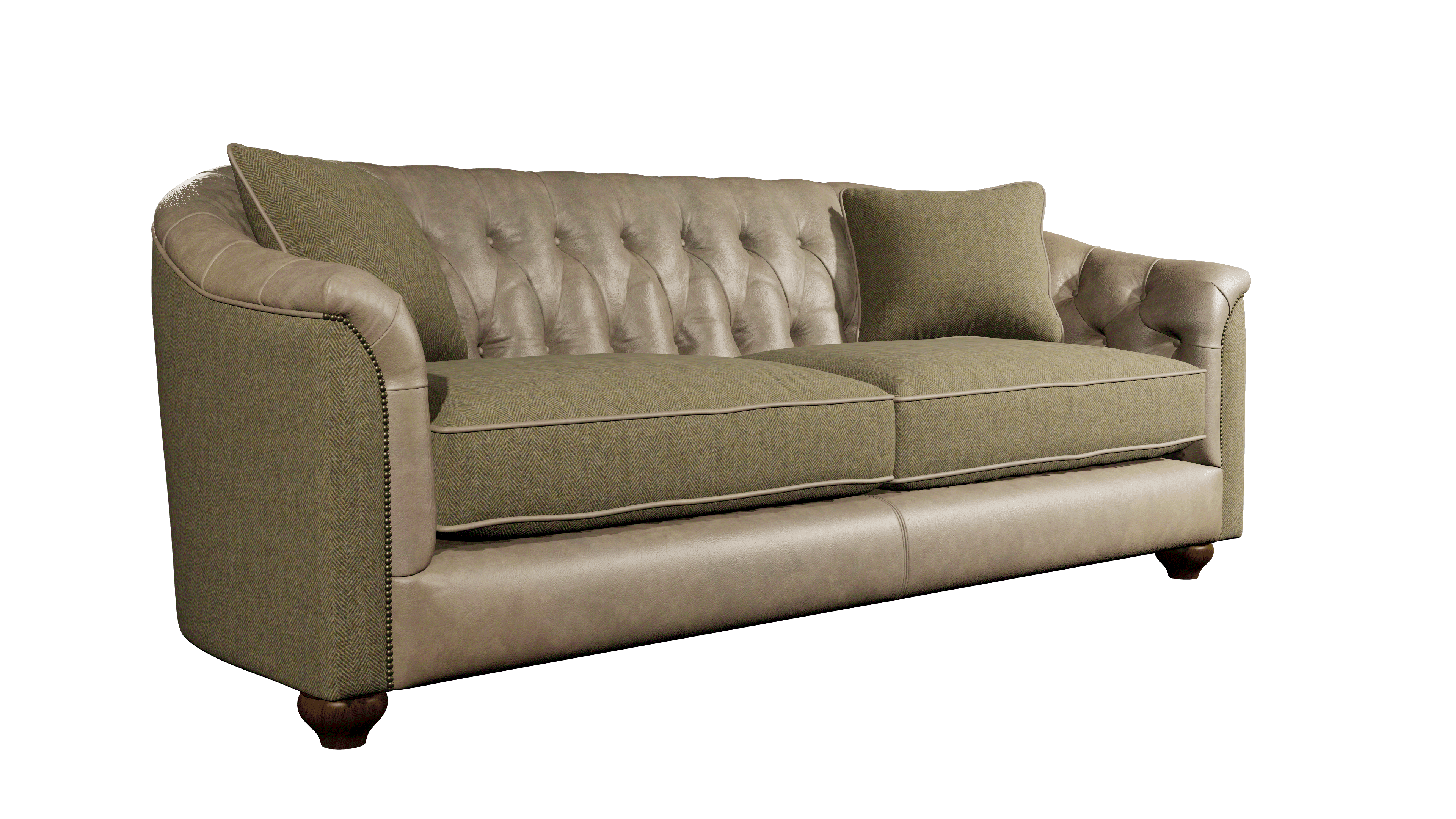
A cutout is a high quality render of a 3D model of a product/material, with a transparent background. It can be used to create a professional product/material shot, either with traditional image editing or with AI.
Swatch
A Swatch is a small sample of a material. These are used to allow customers to see, touch and compare materials before ordering. A collection of swatches is often called a swatchbook.
OV25 provides a swatch management system and integrations for customers to order swatches from your e-commerce platform.
🚀 Next Steps
Now that you understand the terminology:
- Start with Product Management → Product Management Overview
- Set up your first products → Products Management
- Configure SKUs → SKU Management
- Set up pricing → Pricing Management